

Notifications
You can comment on any test or suite, mention a teammate to pull them in, and get notified in the app and by email when a conversation moves.
Mention a teammate
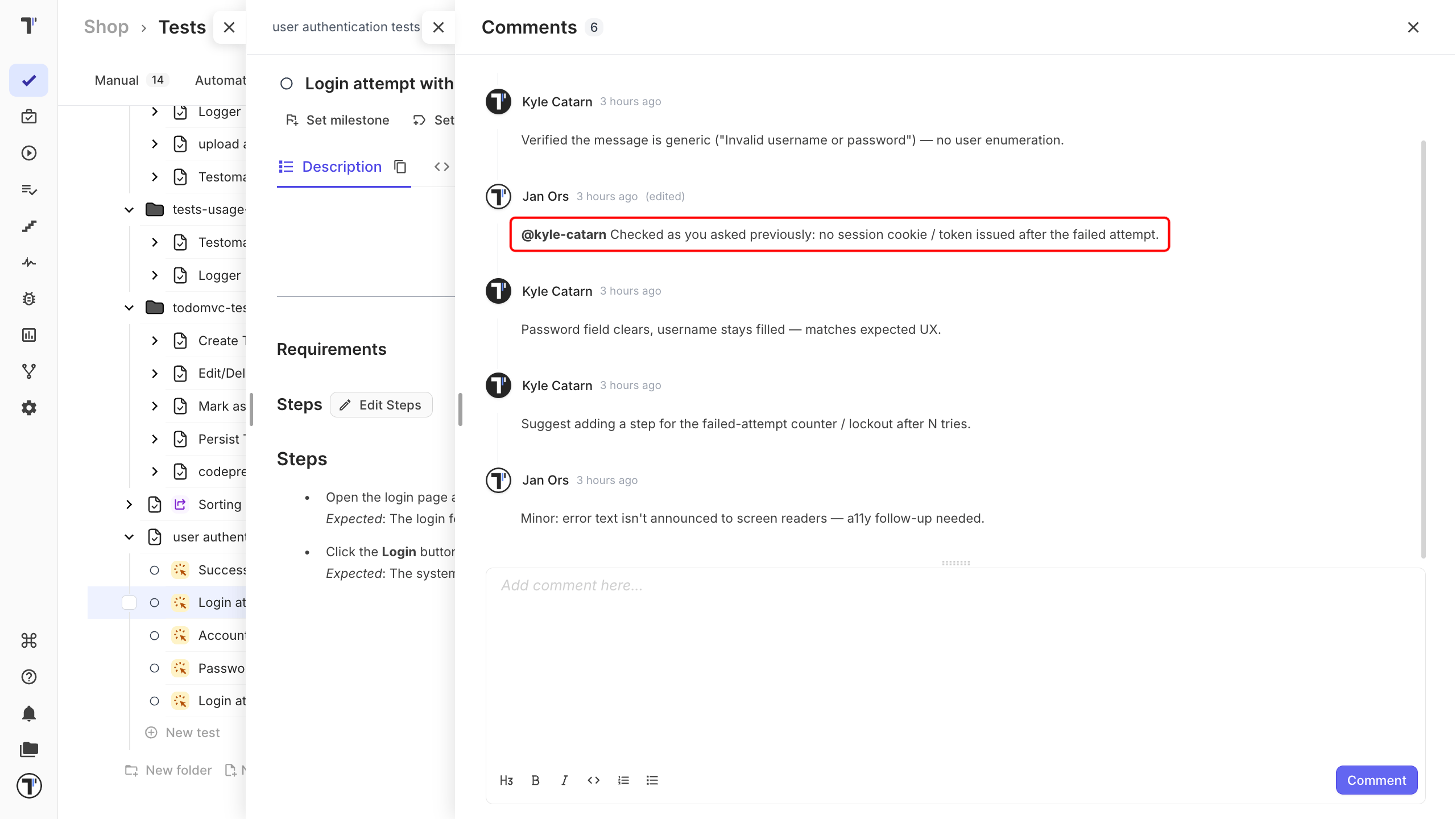
Section titled “Mention a teammate”Type @ followed by a teammate’s username in a comment on a test or suite. They are notified right away, so a question aimed at someone does not sit unread in a thread they had no reason to open.
Thread notifications
Section titled “Thread notifications”A thread keeps everyone already involved in the loop. When you post a comment on a test or suite, everyone who has commented there before is notified that the conversation has moved on.
The notifications bell
Section titled “The notifications bell”Notifications arrive where you are working. A bell in the left navigation collects them, with a dot when something is unread.
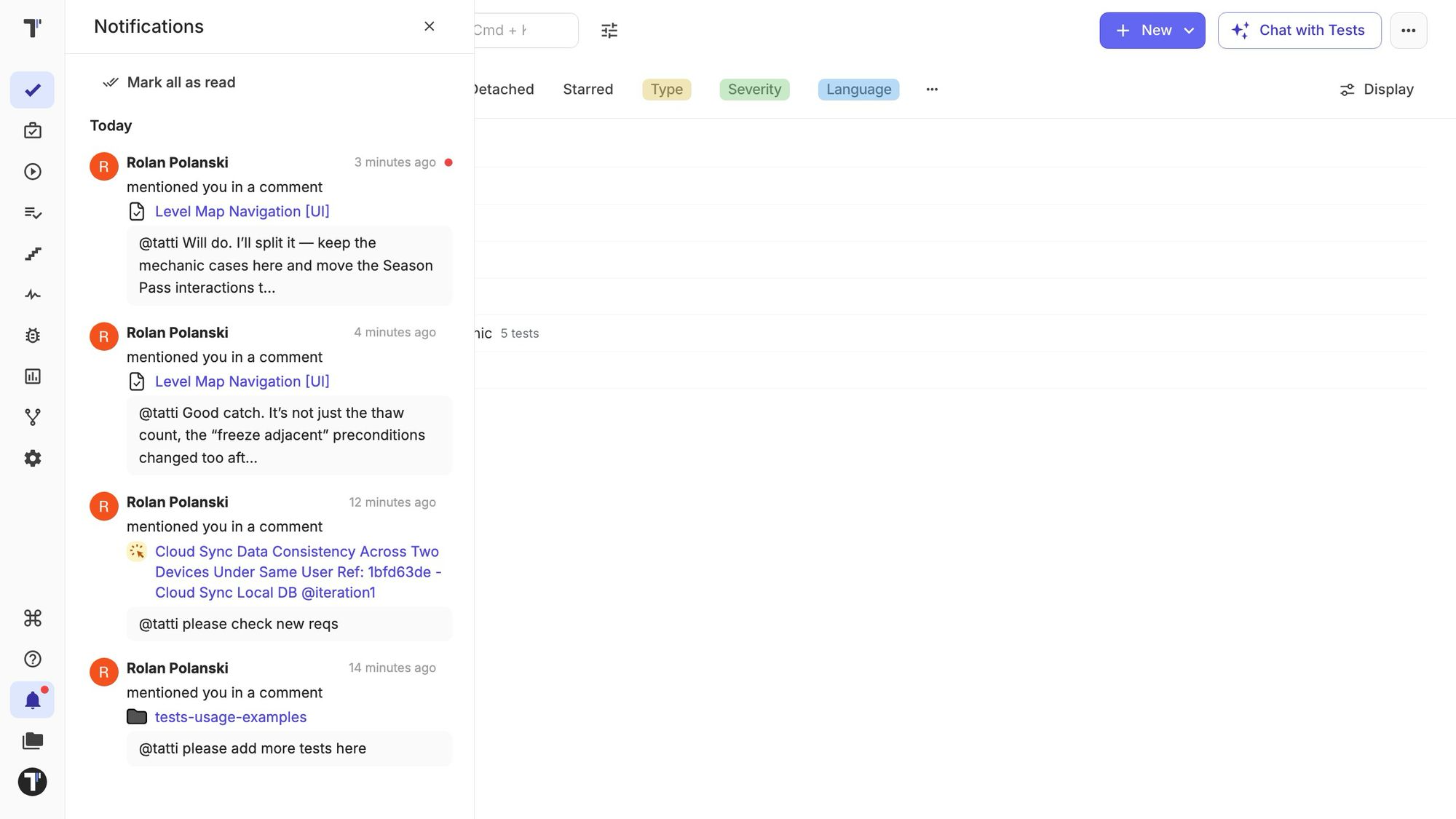
Each notification shows who wrote it, a preview of the comment, and the test or suite it is about. Click it to mark it read and open the thread.
Email notifications
Section titled “Email notifications”Email follows five minutes after the in-app notification. If you have already read the notification in the app by then, the email is skipped, so you are not told twice.